Stay up to date on the latest developments at Ed Controls. Discover new features, improvements, and optimizations. They’ll help you collaborate more efficiently, maintain a better overview, and spend less time switching between different apps unnecessarily. That way, you’ll get more out of your projects every day.
No need to go back to your laptop. Create projects, upload drawings and files, and filter your entire library — directly from your phone. Everything you need on the go is now in the app.
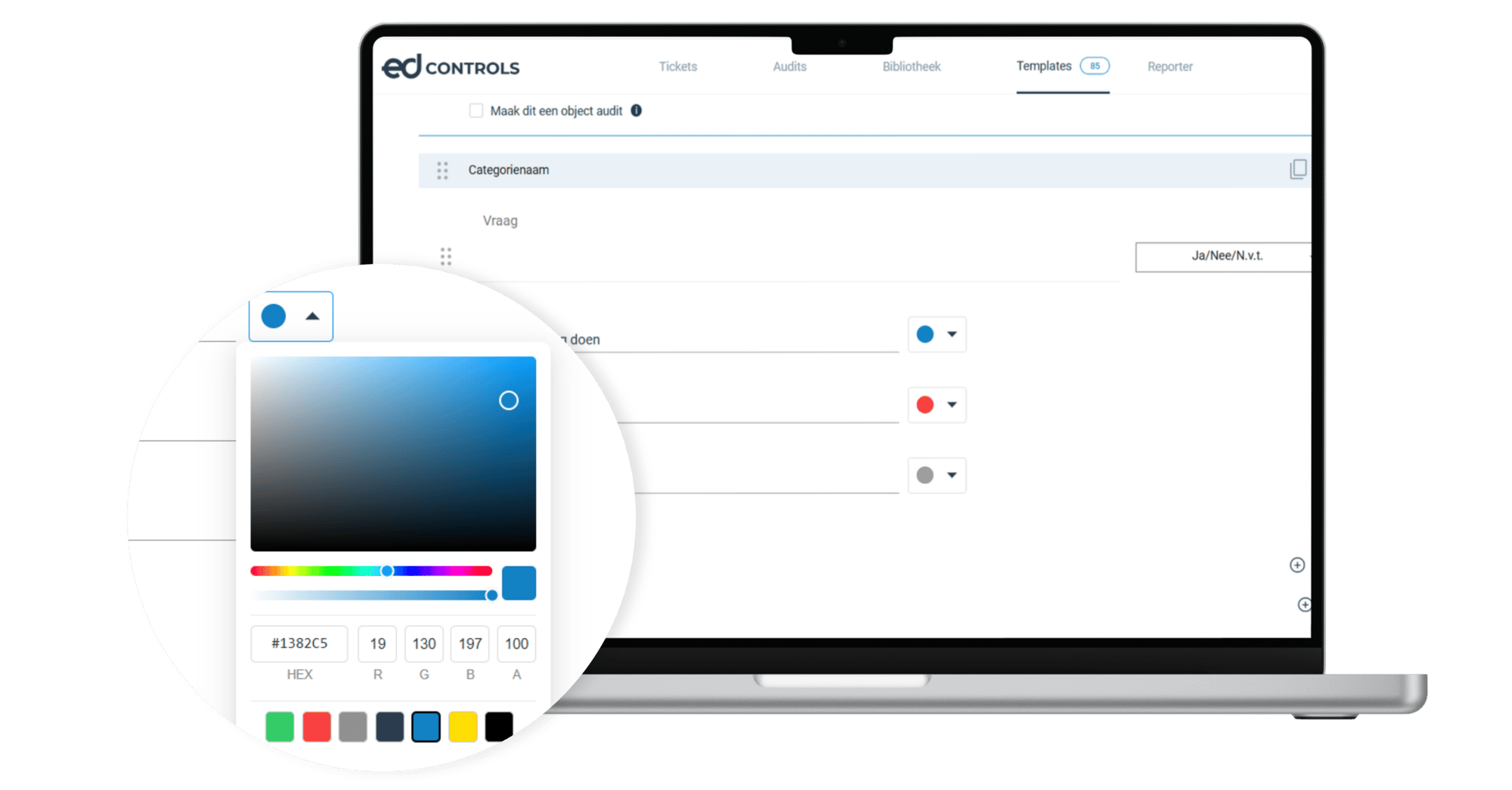
Give “yes,” “no,” and “N/A” your own labels and colors
Decide for yourself what the answer options are called and what colors they get. Save your choice as the default for the entire project, so everyone works consistently without being locked into anything.
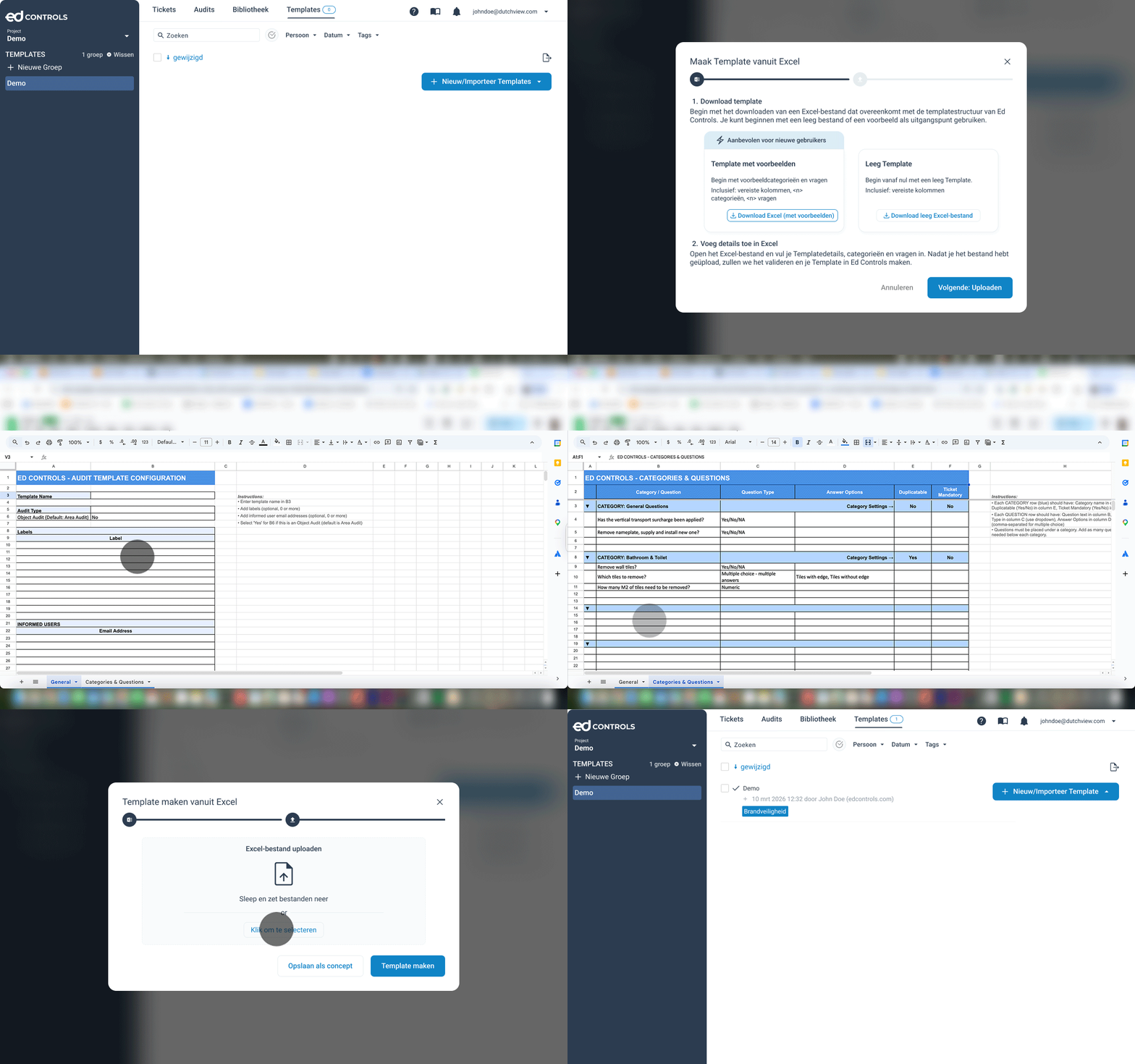
Create templates with multiple categories and questions in Excel, upload them all at once, and reuse them as often as you like. Ed Controls automatically checks your file and pinpoints errors.
Download a blank template or a sample
Fill in categories and questions using drop-down lists
Did you receive a ticket that’s actually meant for someone else? Forward it right away. Everything stays in a single ticket. You no longer need to send separate messages or emails. Works perfectly with colleagues and subcontractors.
Forward with just a few clicks
All parties involved and the timeline remain visible
Distribute work within your team or among subcontractors
All communication in one place, with a clear overview of the project

.png?width=2000&height=1045&name=EDC%20Social%20-%20New%20functionalities%20%20(1).png "EDC Social - New Features (1)")